Transforming an Early MVP into a Cohesive Product Experience
Product Design & UI/UX | 2024 — 2025
Project Summary
I transformed an early MVP built with Bootstrap into a cohesive, scalable design system, then led a full redesign of the app from the ground up with a focus on improving navigation, onboarding, and user adoption.
About the platform
Designed to modernize philanthropy, this platform connects donors, nonprofits and charities with innovative ways to spark collective impact.
Client name and logo withheld for confidentiality.
The Challenge
When I joined the project, the team was pushing beyond its limits. The CEO was juggling product and design responsibilities, the designer was still new, and engineers were struggling to maintain visual consistency or velocity. The product had been hacked together in Bootstrap, creating a fragile foundation that couldn’t scale or deliver the experience they envisioned.
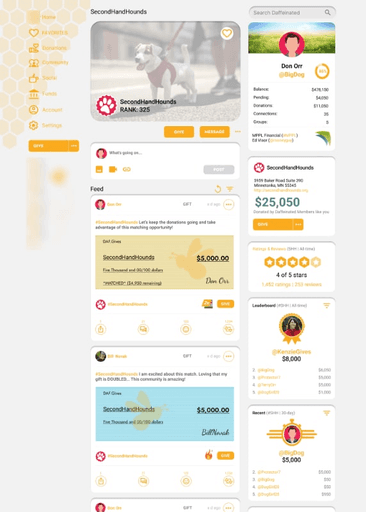
The product experience looked and felt disjointed. There were dozens of uncoordinated colors, inconsistent typography, and no spacing or layout standards.
The overuse of the brand’s yellow made it impossible to create clear hierarchies or highlight key actions. Without structure or documentation, developers spent more time aligning pixels than building product.
The team needed a cohesive design system to accelerate development and unify the product.
Goals
Establish a scalable design system built on reusable components and clear foundations.
Create consistency across typography, color, and spacing to strengthen brand identity.
Redesign critical flows (onboarding, navigation, feed, and profile) to drive engagement and adoption.
Empower developers to move faster by reducing design ambiguity.
Initial design
Audit & Discovery
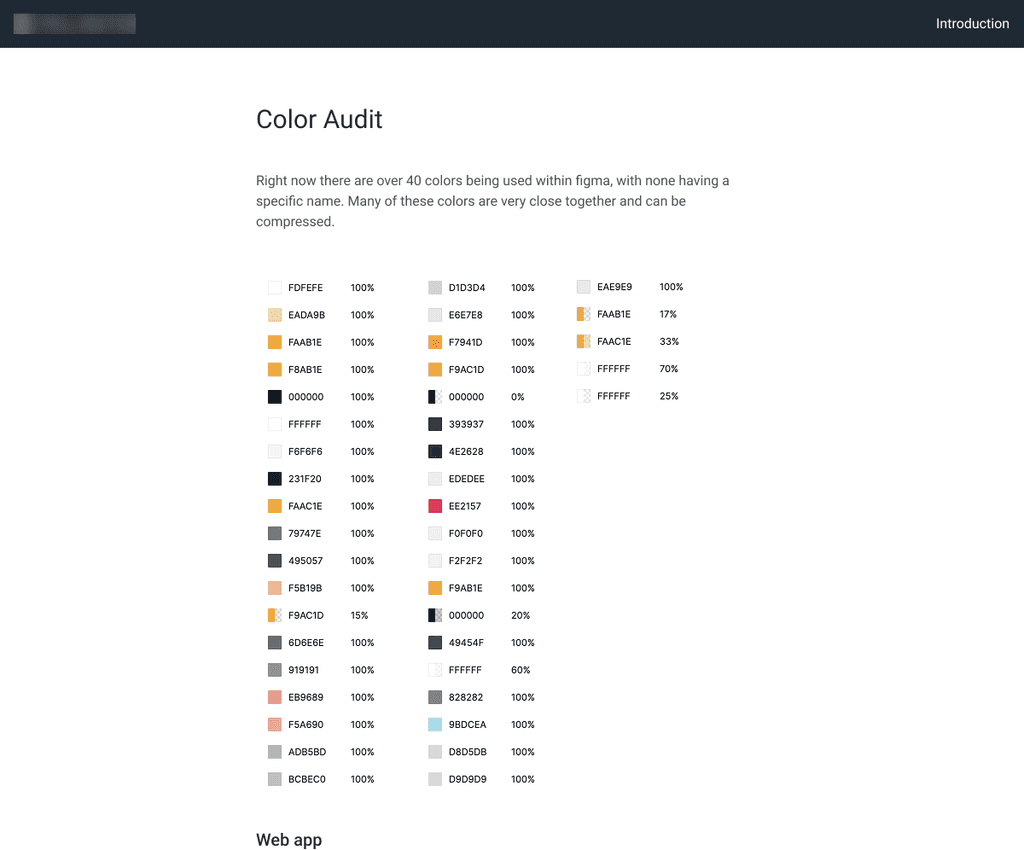
I began with a full audit of their Figma files and live product, cataloging inconsistencies and pinpointing weak spots in the UI and UX.
Key findings included:
30+ colors with many redundancies that could be compressed
Overuse of brand yellow with no contrast control or hierarchy
Multiple uncoordinated typefaces
Inconsistent spacing and grid systems
Audit of the platform
Defining the Foundations
Starting from scratch, I built a new design foundation around:
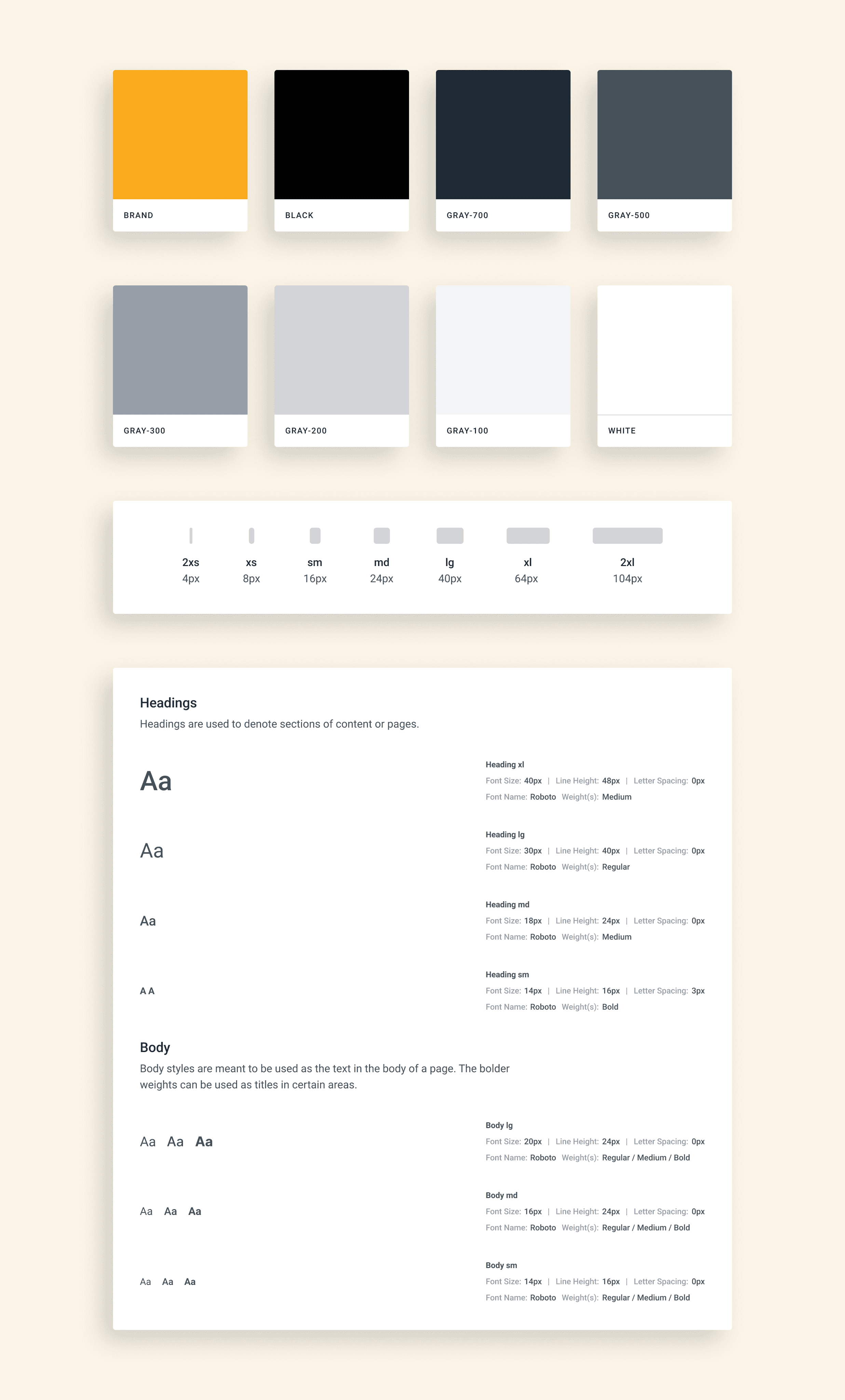
Color system: accessible, neutral palette supporting yellow as an accent
Typography: one clear hierarchy for titles, text, and UI
Spacing & grids: establishing rhythm and vertical consistency
Design tokens: to enable smooth handoff to engineering
Some of the design tokens I created
Componentization
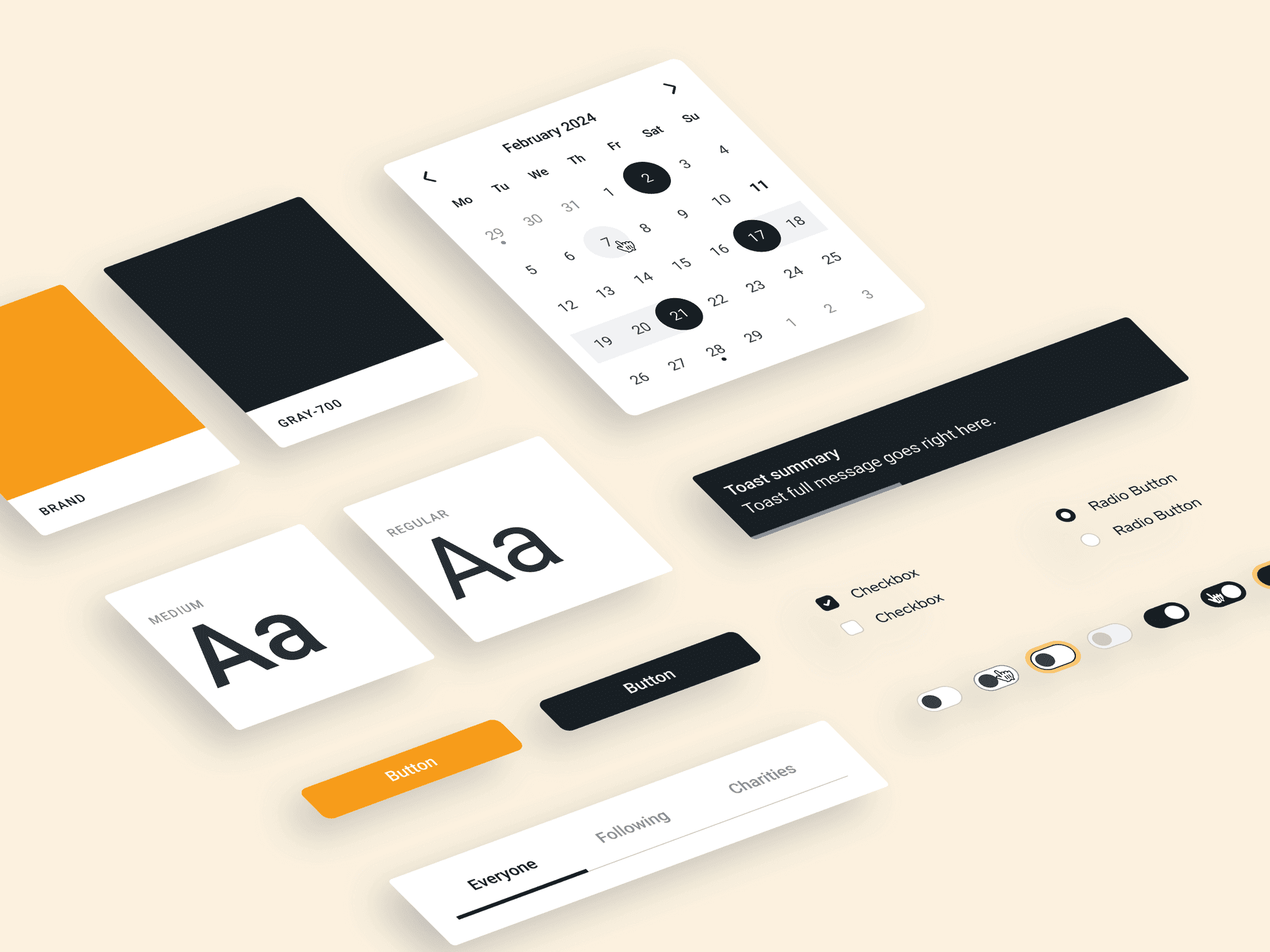
Next, I broke down the product’s existing UI into reusable components like buttons, cards, nav items, modals, inputs, etc.
Each component was documented and standardized in Figma, creating a shared library engineers could confidently build from.
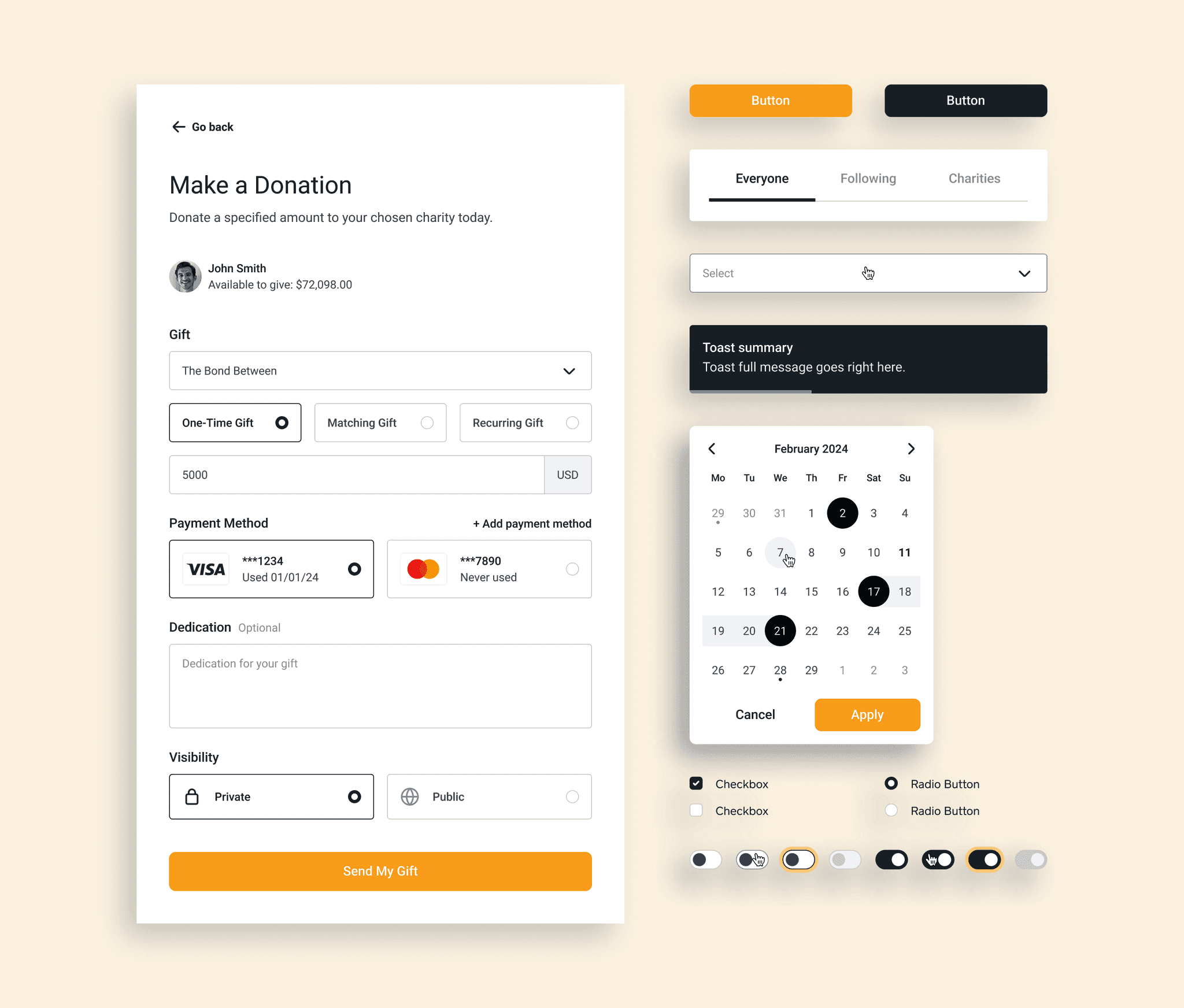
UI Components
Flow Redesigns: Onboarding
Users rarely completed their profiles or understood what a Donor Advised Fund (DAF) was. Additionally, they wanted their sign up screen to do double duty as their homepage, similar to how Facebook, Instagram etc operate.
I conducted a competitive analysis (via Referro) to study how other apps educate and onboard users and then designed a guided experience that balanced education and ease, encouraging users to complete profiles while learning about DAFs.
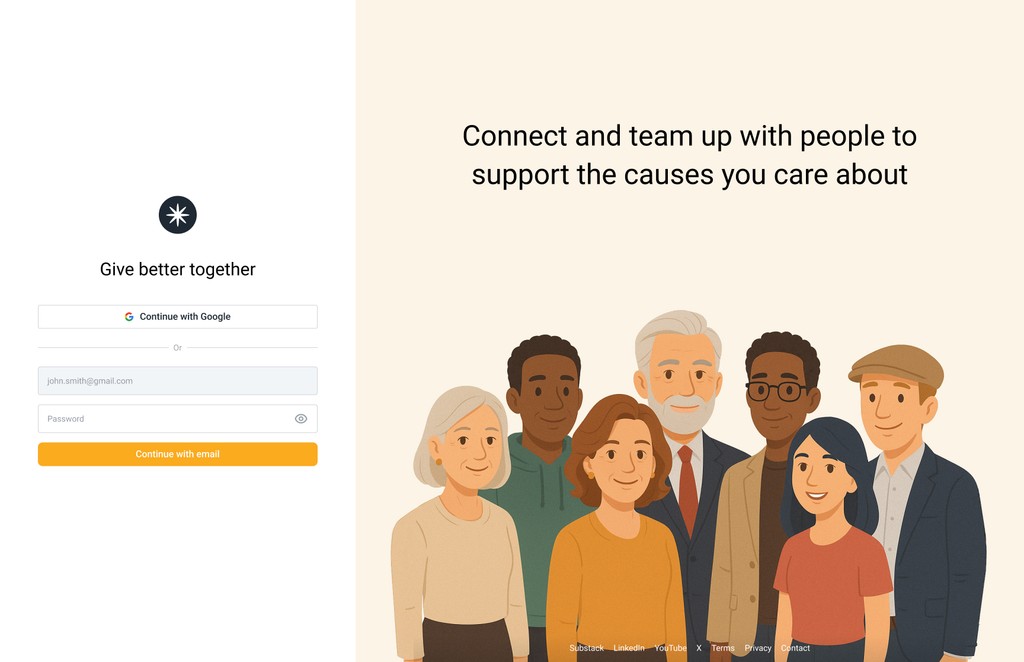
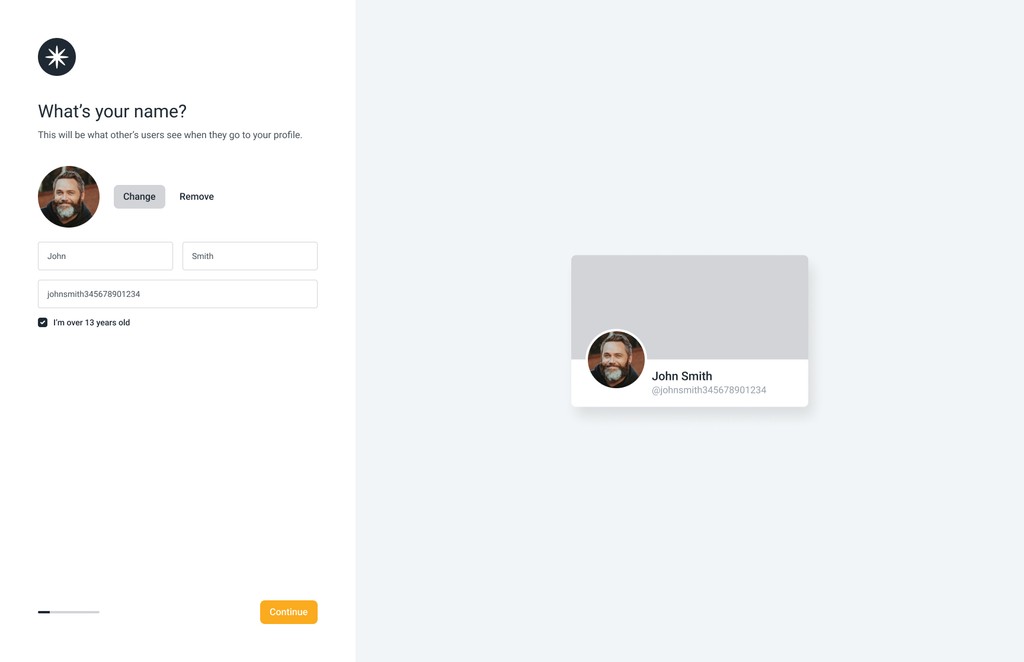
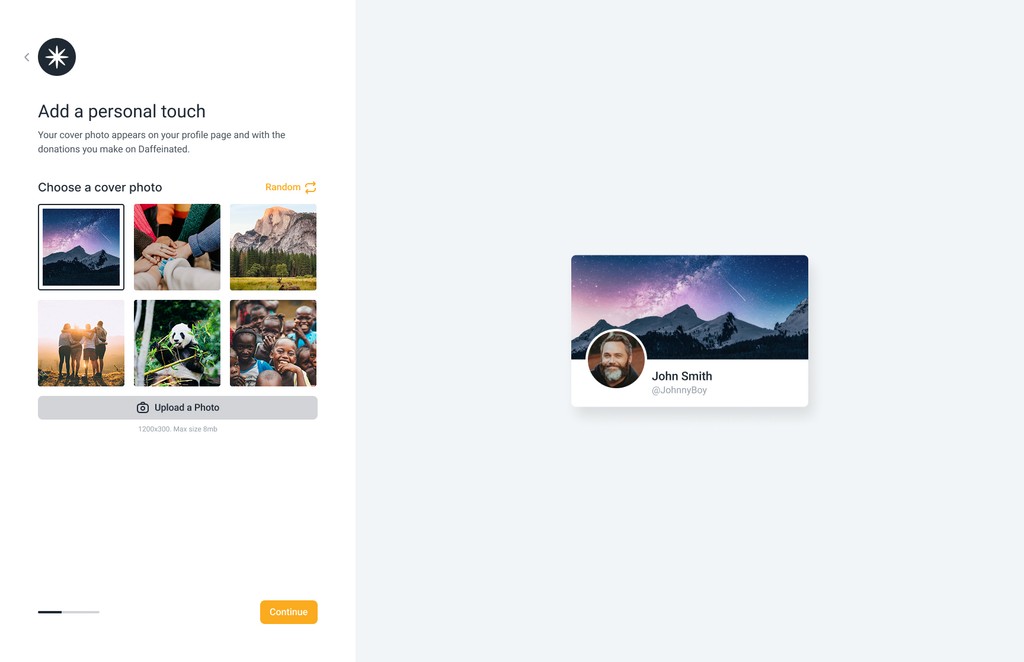
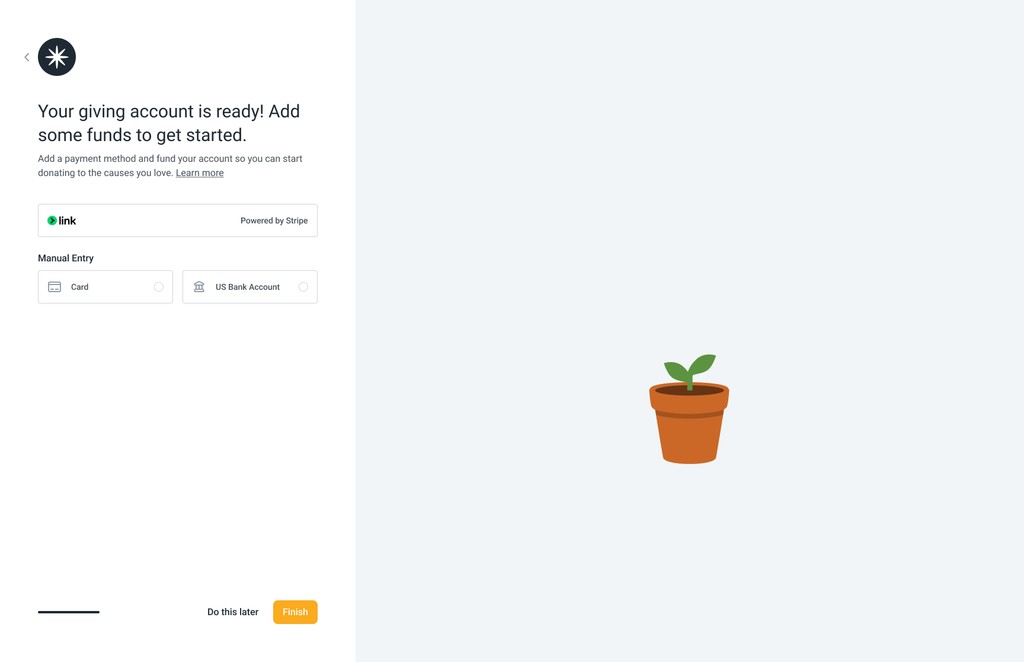
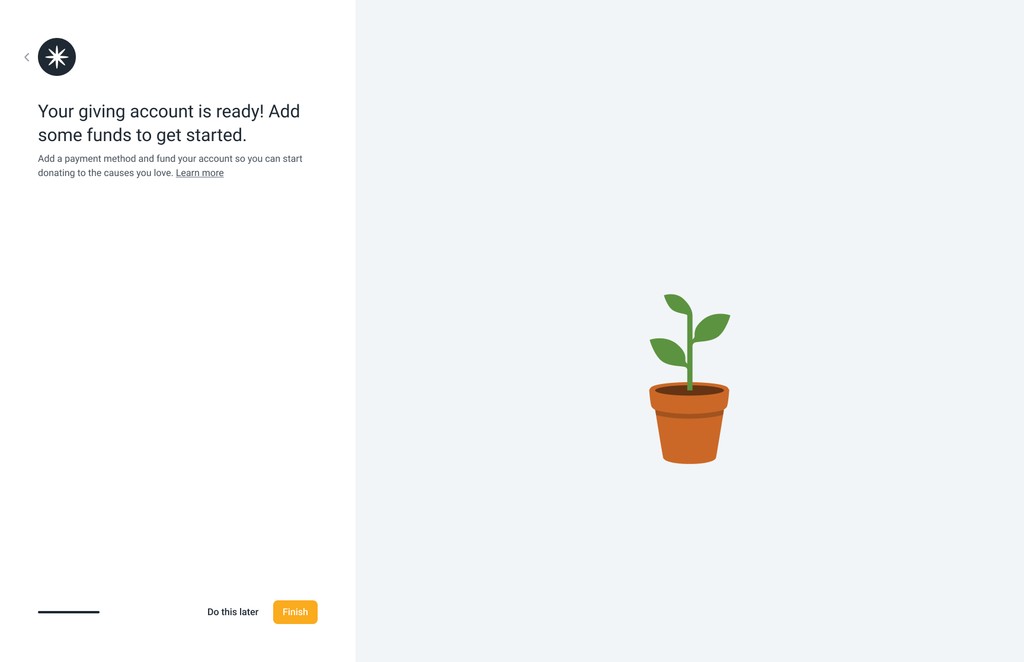
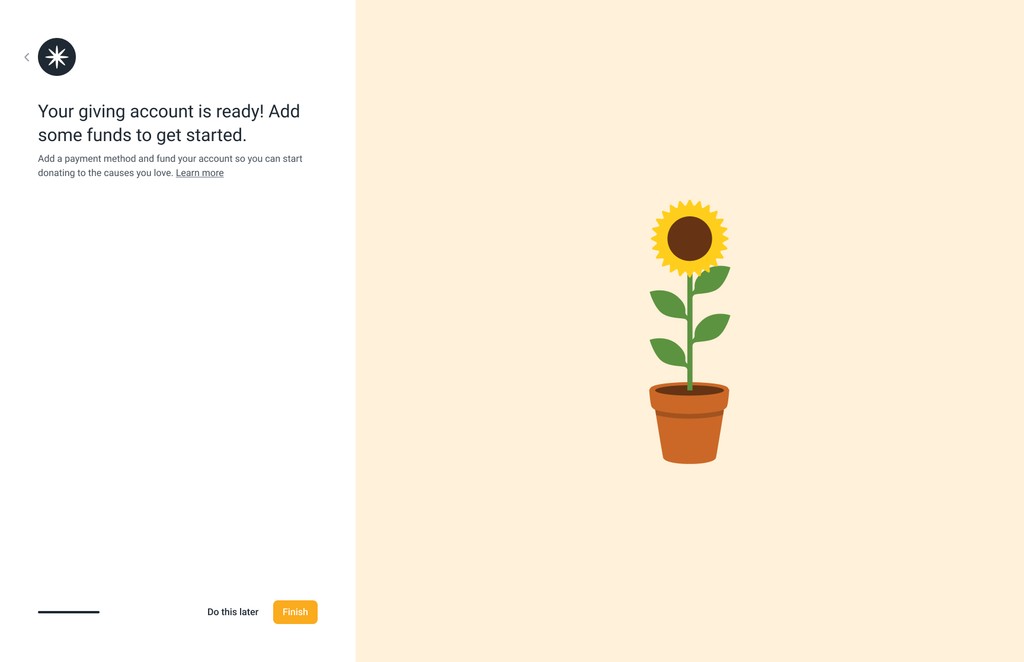
Onboarding Screens
Flow Redesigns: Navigation
Next, the app needed a good foundation around it's navigation and information architecture. The current left-hand navigation kept expanding without structure.
I mapped the information architecture, condensed the nav, and reorganized pages logically. I moved low-frequency items into the profile and added a new dashboard page to consolidate other settings.
I drew inspiration from Facebook, X, Substack, and Threads to create familiar patterns.
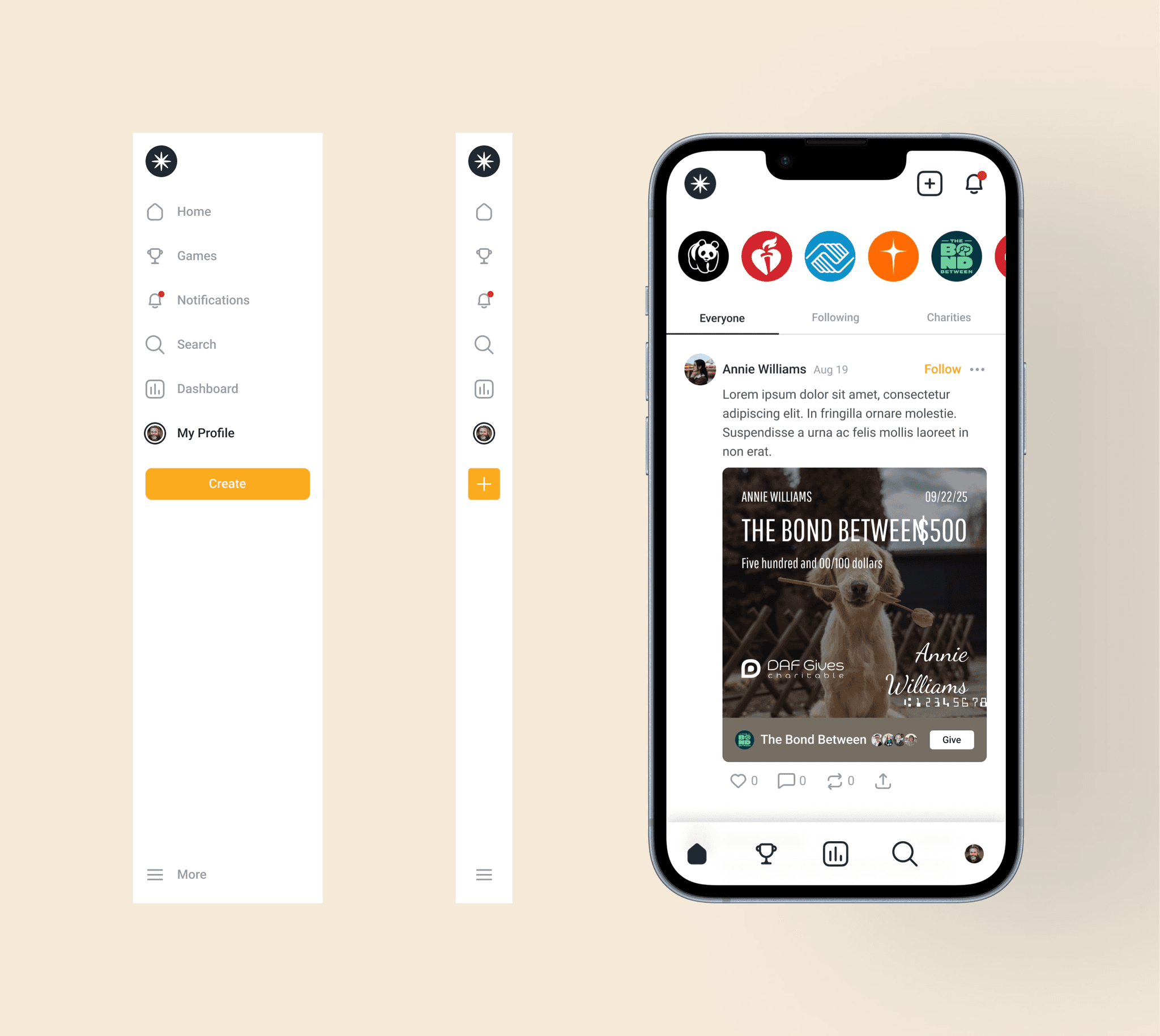
Desktop & Mobile Navigation
Flow Redesigns: Feed & Profile
This platform's feed and profile posed an interesting challenge, because unlike other platforms the team wanted to highlight giving, not posting.
I simplified the feed to emphasize donation activity and match opportunities.
The profile became a purposeful and lightweight overview of user history and funds and was designed to be easy to extend.
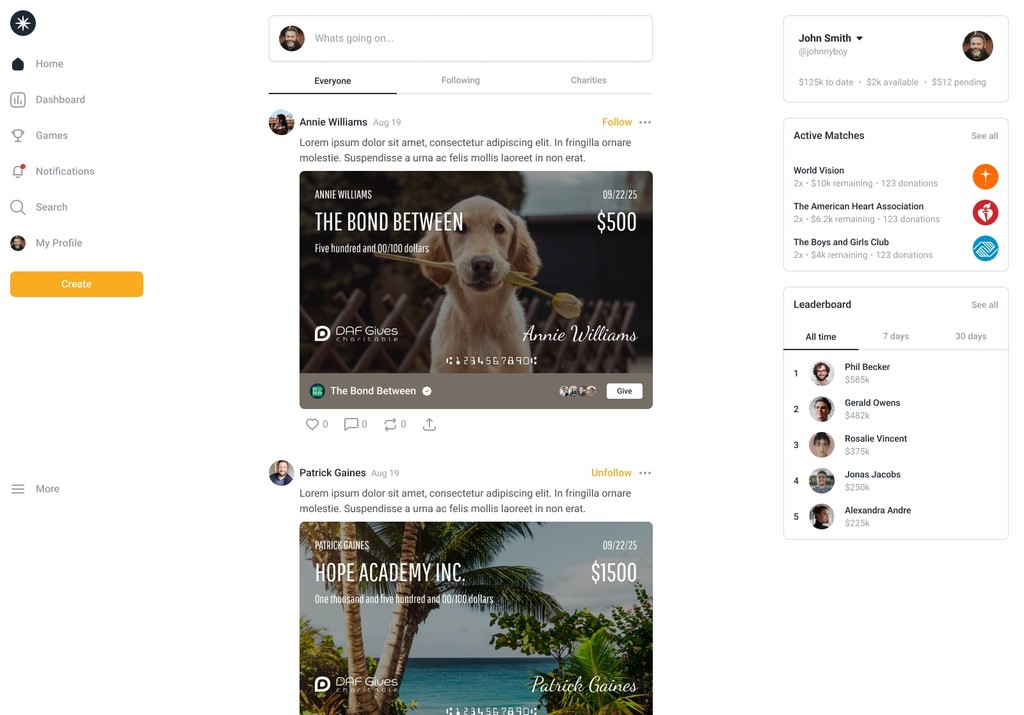
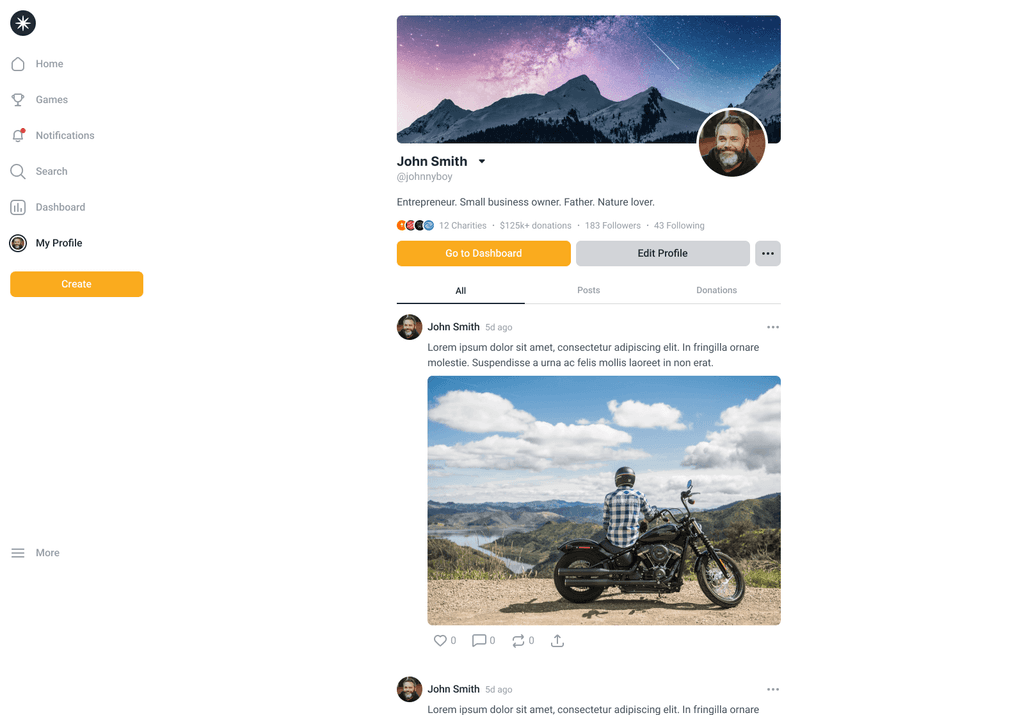
Homepage feed & profile page
Outcomes
The new design system unified the brand’s look and feel, provided clear UI standards, and made the product feel modern and intentional. Developers could now assemble new pages with ease using documented Figma components, freeing them to focus on engineering.
~30 fully documented UI components
Multiple ux flows designed, including edge cases
Designed, implemented and shipped a complete rewrite in ~5 months
2 developers now able to build new screens in days & weeks instead of months
Streamlined onboarding and navigation, reducing user friction and boosting adoption
Clearer brand identity and visual hierarchy
A scalable foundation supporting rapid iteration and future features
This project was a great example of how structure unlocks speed. By investing in the fundamentals like color, type, spacing, and components, we turned a tangled MVP into a cohesive product ready to grow.
The team now has the tools and confidence to move fast, stay consistent, and continue evolving the platform.