Rethinking the Light Phone III's Music Tool
Product Design | 2025
Project Summary
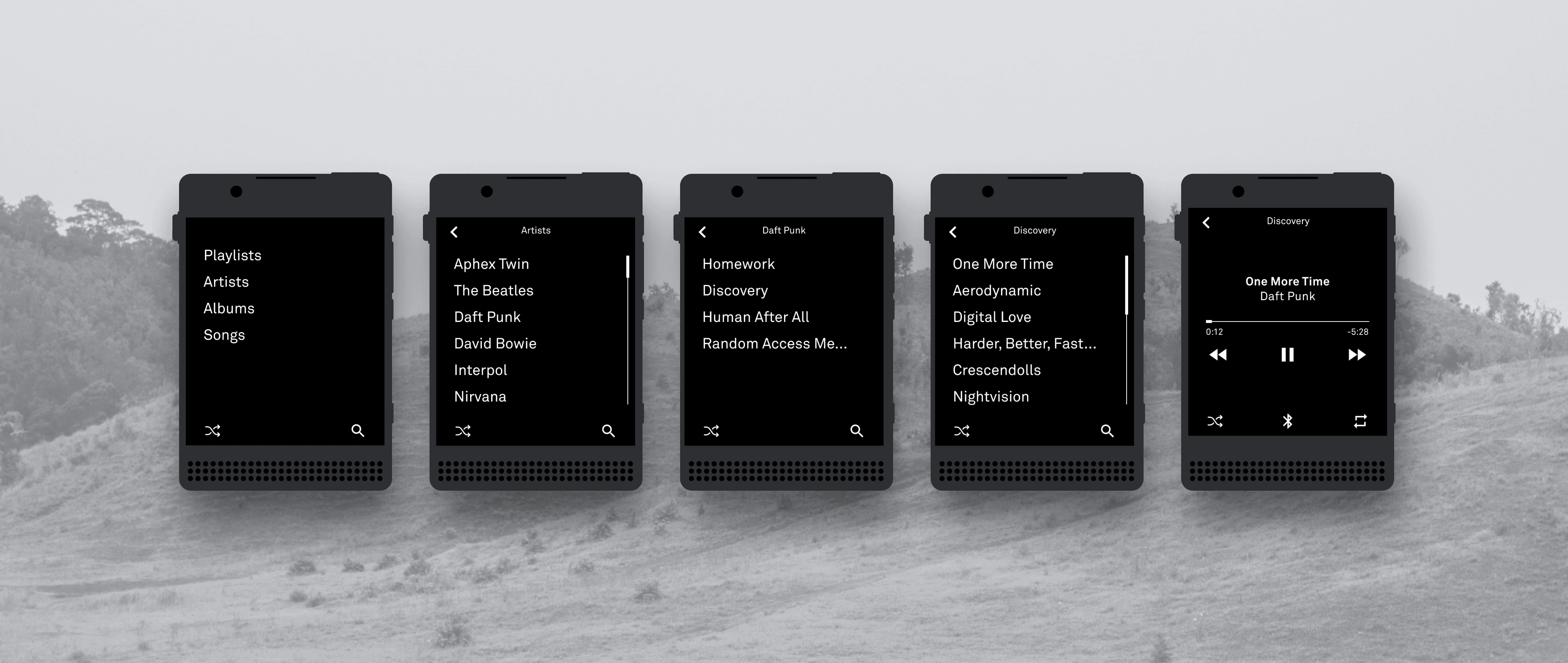
In this exploration I reimagine the Light Phone III's Music Tool. I utilized real user feedback and designed a solution that would reduce friction, clarify flows, and maintain the Light Phone's minimal aesthetic.
About the Light Phone III
The Light Phone III is a minimalist smartphone designed to reduce digital distractions. With a text based OS, tactile buttons, and essential tools only, it helps users stay present, intentional, and mindful in their daily lives.
The Challenge
The Light Phone III is designed to help users disconnect from digital noise and stay present. The hardware and software both reflect this minimal mindset and distraction free philosophy.
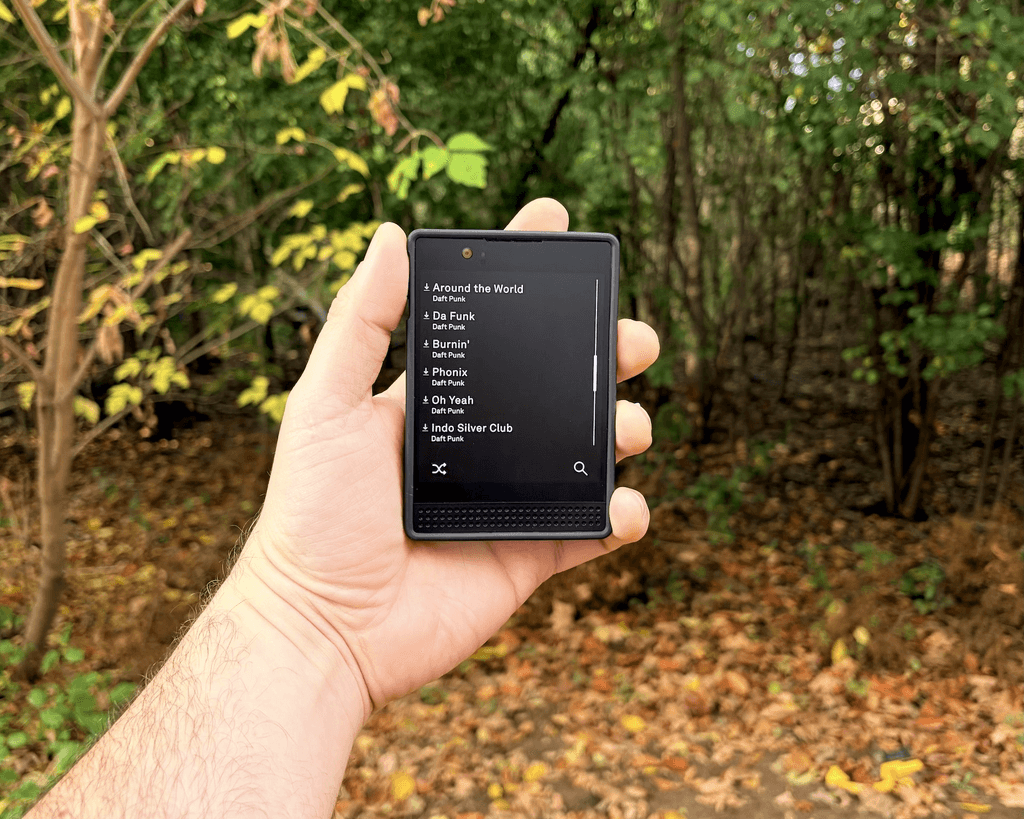
However, after using the device for a few months I found that the music app felt unnecessarily restrictive then intentionally minimal. Basic actions like browsing, organizing, or controlling playback required either took too many steps or were impossible. It broke the calm, seamless experience the rest of the phone worked so hard to deliver.
Could the music tool experience stay true to Light’s minimalist values while removing unnecessary friction?
User Insight Mapping
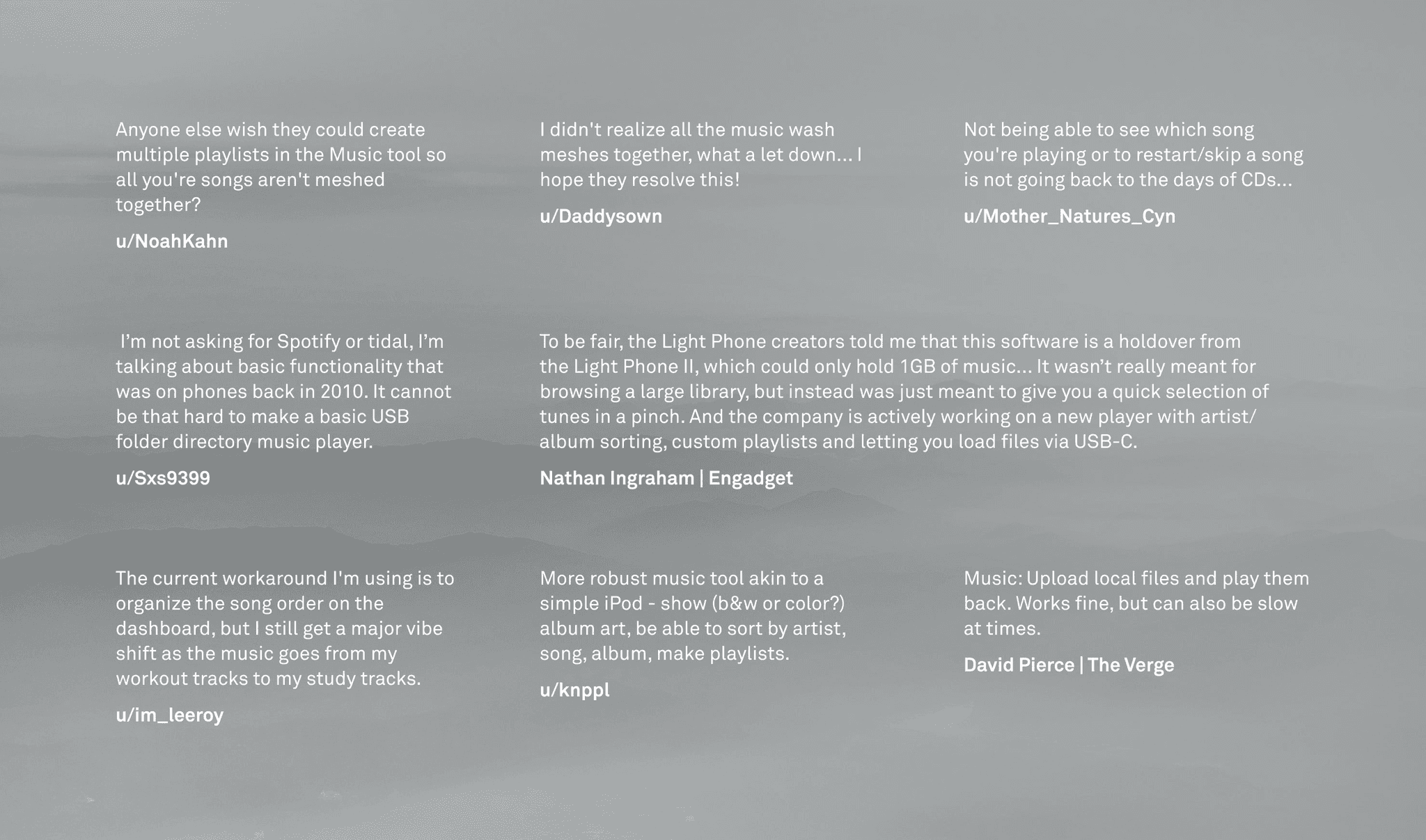
I started digging into user sentiment to see if others felt the same and gathered real user comments from Reddit, Twitter, and community forums and a clear pattern emerged:
Users struggle with the simplicity of all your songs appearing in a long list
Users had created work arounds by either making each mp3 on their phone a whole album or playlist, or by ordering them by name before adding them to their device
Not being able to see what song is playing while the phone is locked was a hurdle for some
Setting Goals
Based on that I identified some goals for my exploration:
Making music easier to find and organize
Improve the lock screen experience
Stay true to the light phone iii's minimalist vision and create a seamless integration with its existing OS and UI/UX patterns
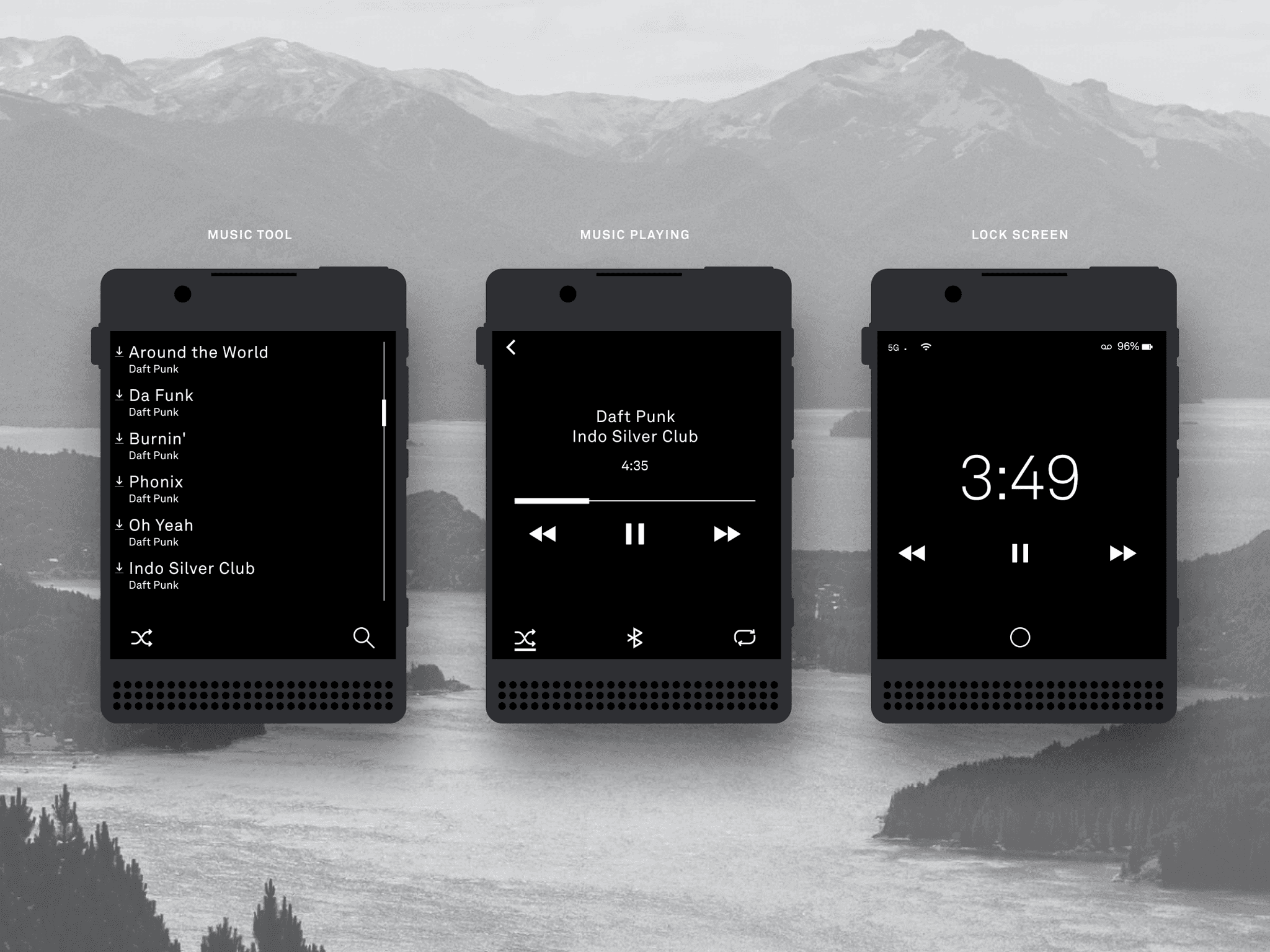
The elephant in the room
First, I addressed the unorganized list of songs. The issues were clear:
Finding what you want to hear is tedious, even with search.
Different moods call for different music, which is not possible when all your songs are lumped together.
There’s no way to curate or separate playlists.
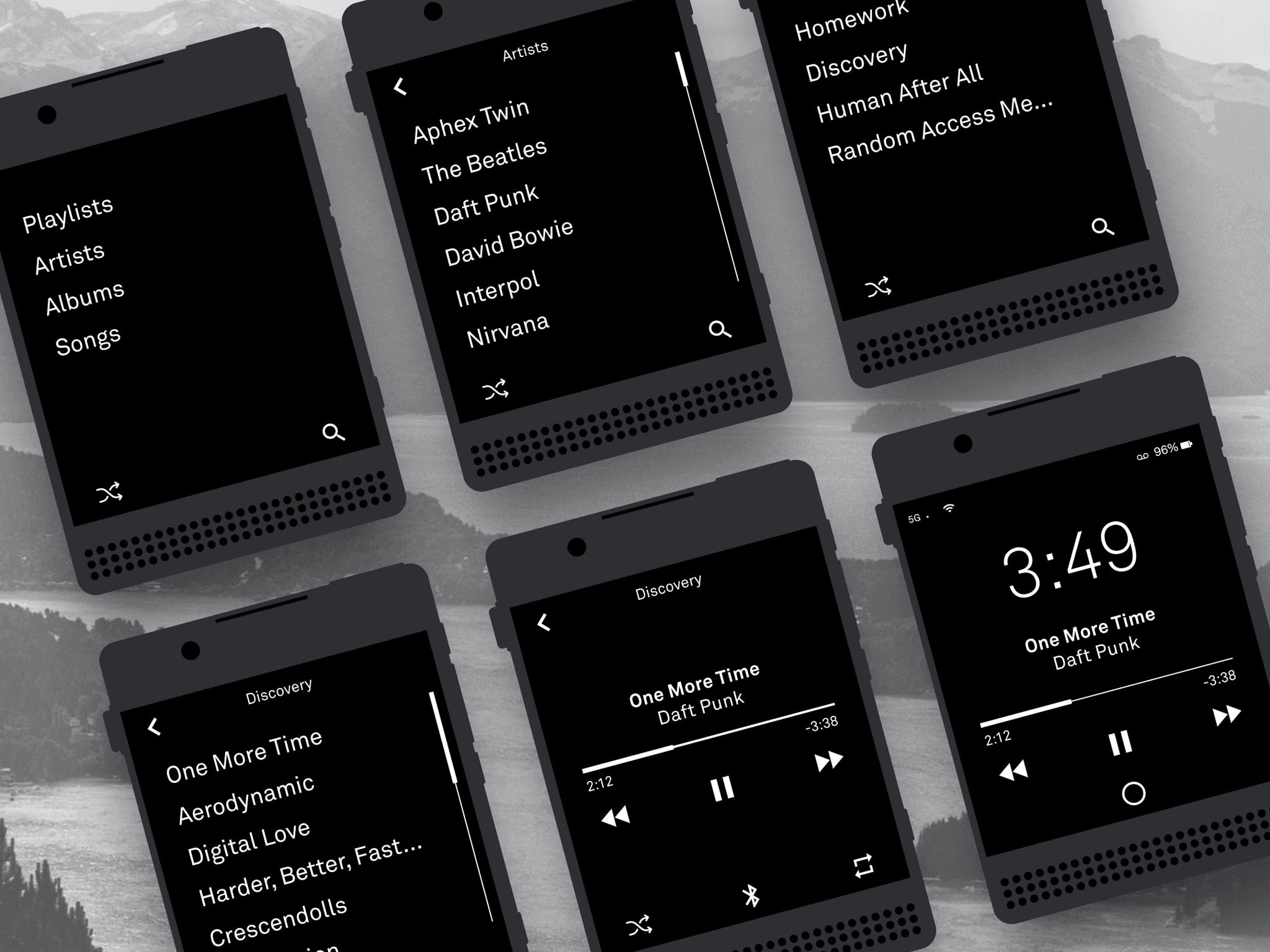
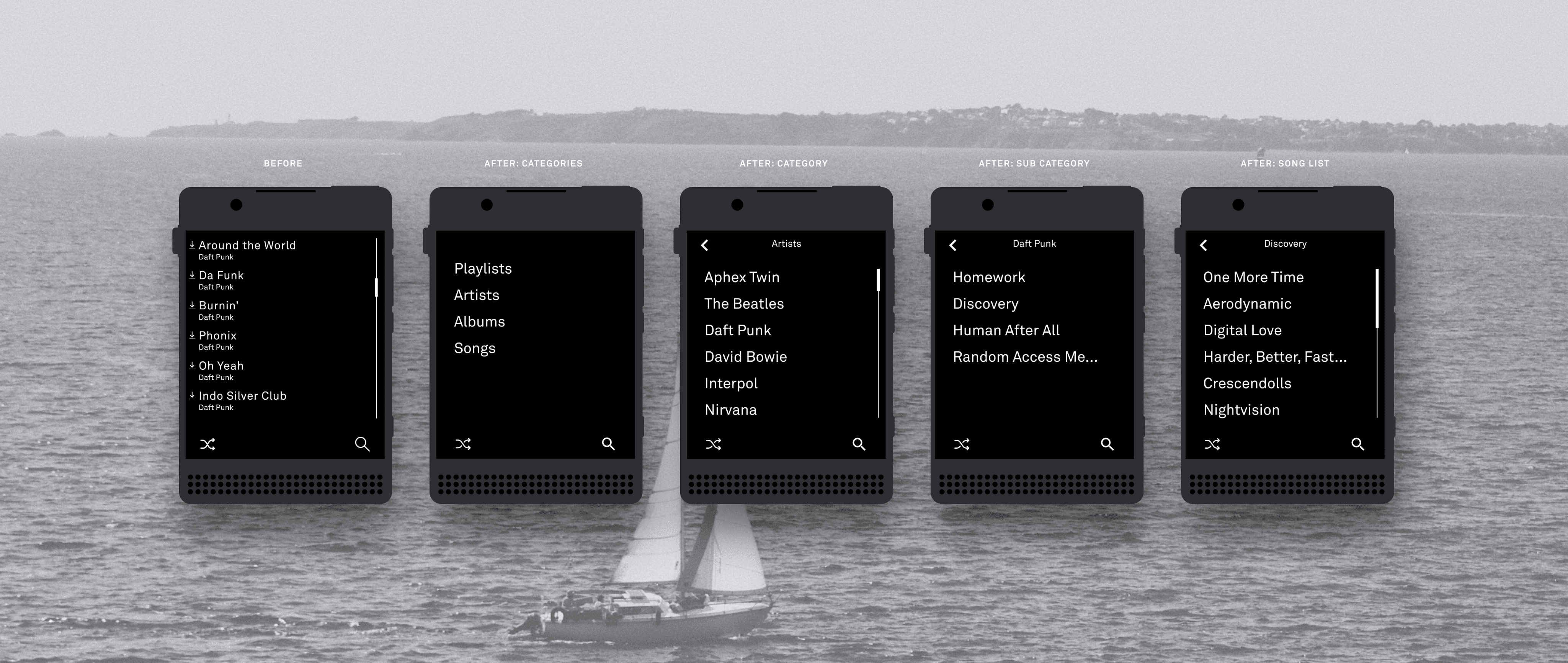
To solve this, I introduced a drill down navigation flow, consistent with other Light OS tools like Contacts. Users can start from high-level categories (such as playlists or artists) and progressively drill down into subcategories until they reach the exact collection of songs they want to play.
Music Playing Screen
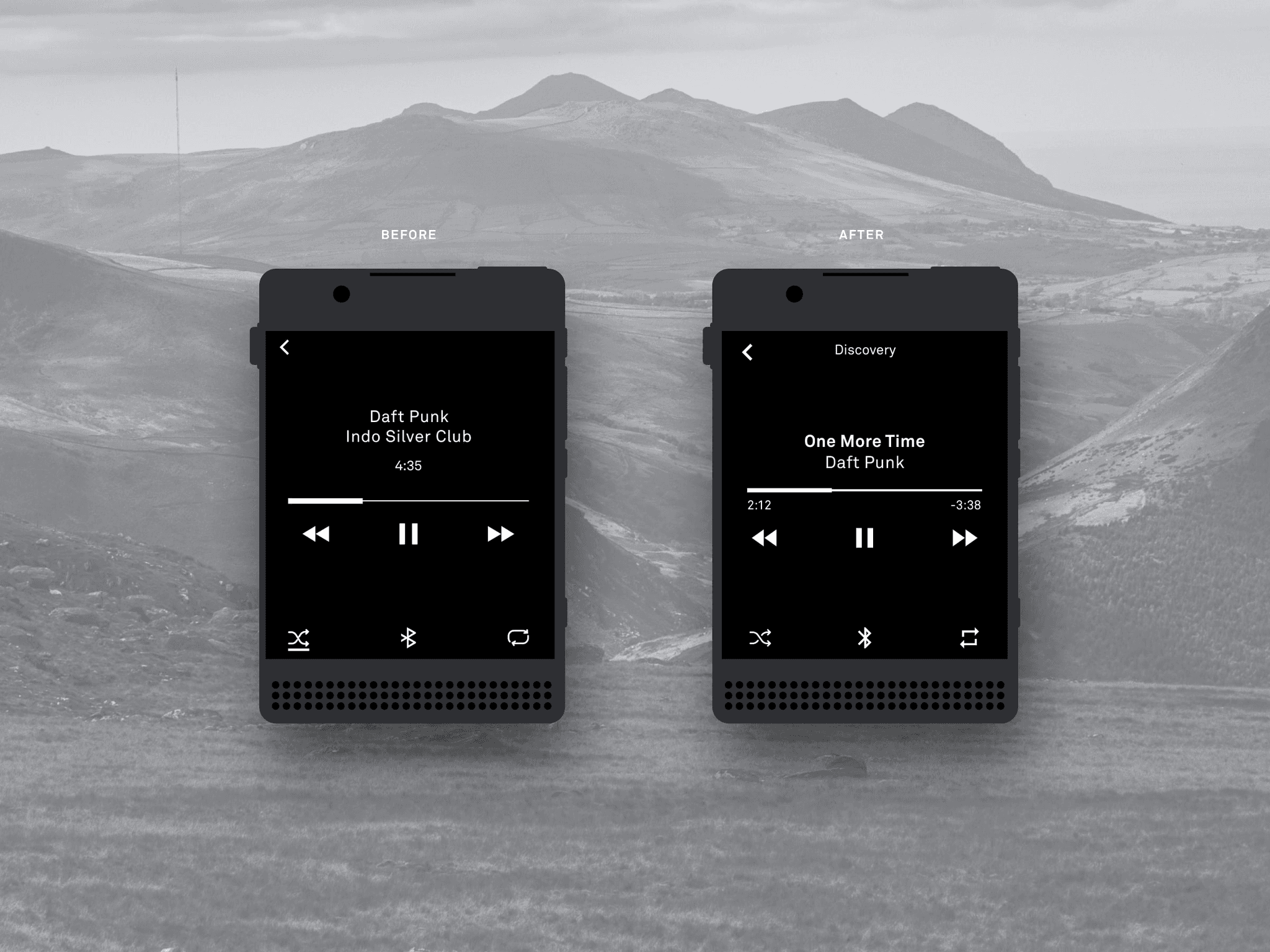
Next, I turned my attention to the Now Playing screen. The existing layout prioritized the artist, then the track, and finally the song length, but this hierarchy doesn't seem to match how people actually listen.
Users care most about the song title, followed by the artist, with the album providing helpful context that was completely missing. In addition, showing only the total song length felt incomplete; users also need a clear sense of time elapsed and time remaining to stay oriented during playback.
I solved this by flipping the song title and artist name and adding some bold text for visual hierarchy. I added a subtle album title out of the way near the top of the screen so it wouldn't be distracting. Finally, I opted for an elapsed/remaining timestamp underneath the progress bar.
Lock Screen
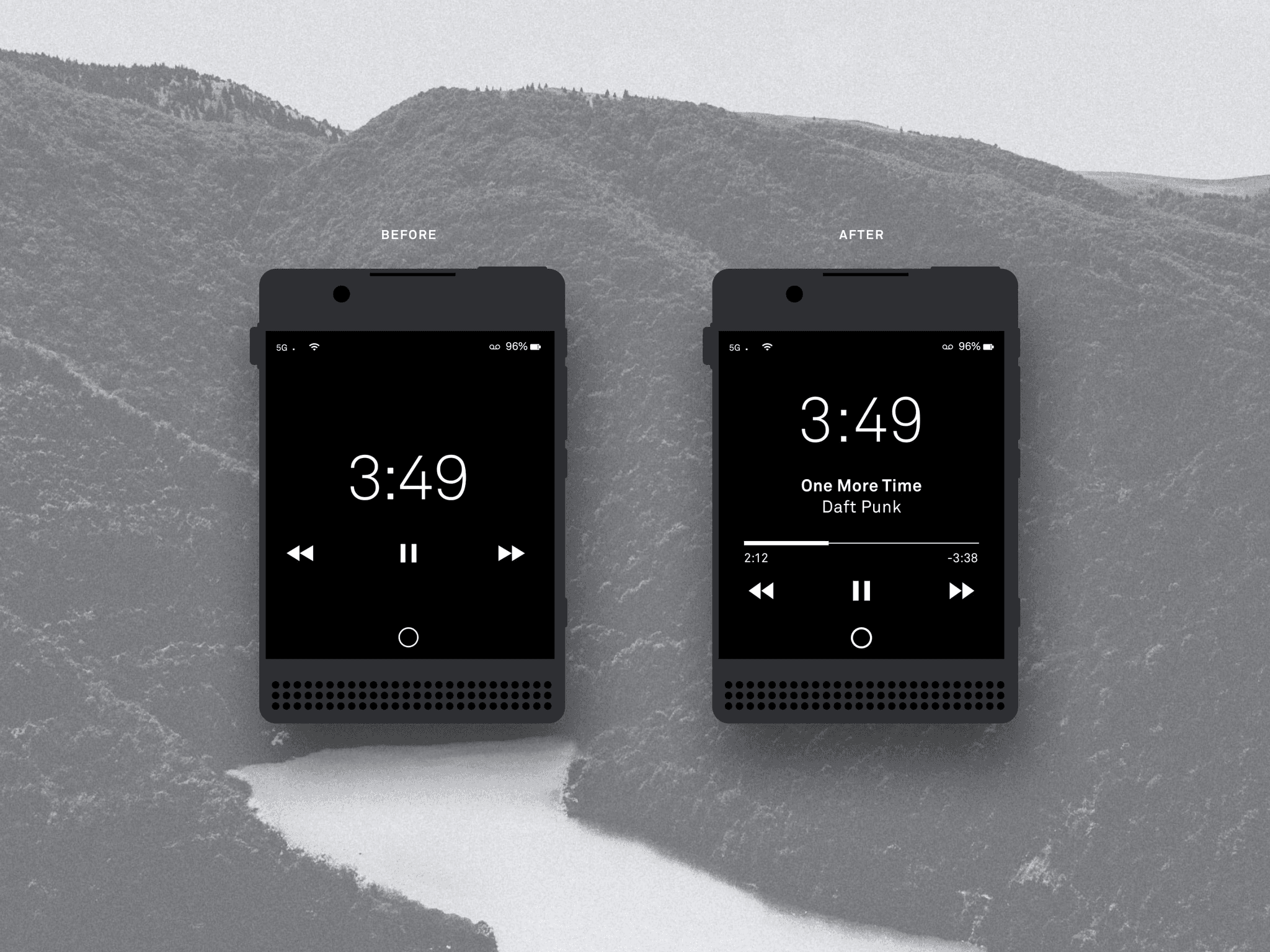
Last up for this exploration was the lock screen. I found this particularly important while driving, as it gave me no context clues as to what was playing. However there were some new constraints as the lock screen shows more UI elements like the time, battery level, etc so we don't have as much space to play with.
The simple addition of Track Title and Artist seemed to do the trick and the inclusion of elapsed/remaining timestamps helps tie it into the same experience in the player.
Reflecting
Overall, this was fun exploration. Designing for restraint is often harder than designing for richness, because you have to identify what truly serves the user versus what simply fills space.
Next Steps
If this were a real collaboration with Light, I’d want to:
Understand their roadmap for the Music app and other apps
Review real any real data or user sentiment they have
Validate & improve the design with users through usability sessions